Most ROI calculators are built for the wrong person.
They're built to convince the buyer. But in most B2B deals, the buyer is already convinced. They've done the research, sat through the demo, and want to move forward. The person they still need to convince is their CFO.
That's the job most ROI calculators completely ignore.
The Insight Behind the Build
We ran an AI agent through 4,000 sales calls to surface patterns in late-stage deals. One insight kept coming up: buyers weren't stalling because they doubted the ROI. They were stalling because they had to build an internal business case from scratch — and they didn't know where to start.
Our ROI calculator gave them the numbers. Then left them alone to build the pitch.
That gap — between "here's your ROI" and "here's everything you need to walk into that budget meeting" — is where deals were dying.
What We Built
We rebuilt our ROI calculator from the ground up using Lovable, over a single weekend.
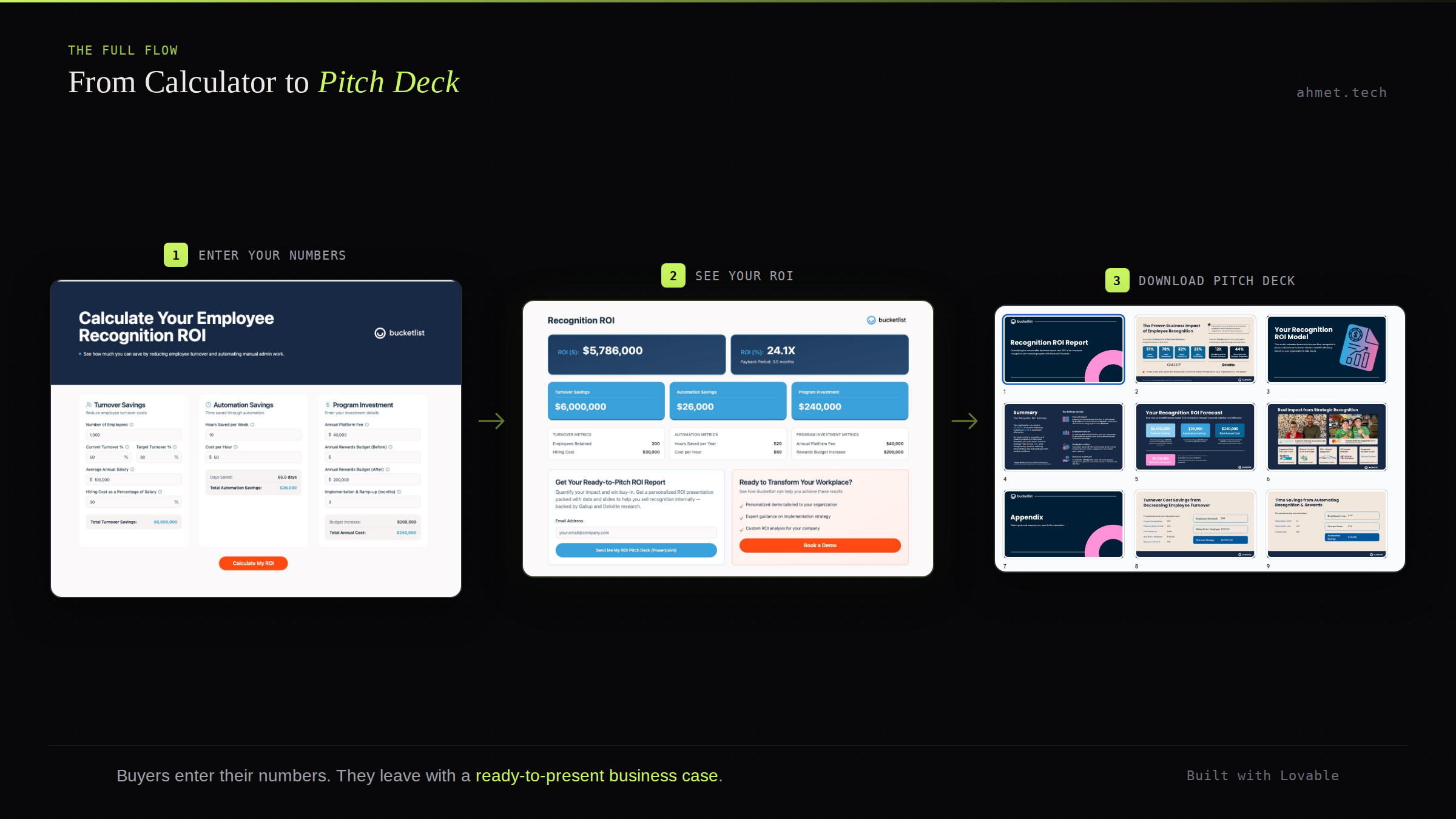
The inputs stayed the same: number of employees, current and target turnover rate, average salary, hours saved through automation, platform fees. Plug in your numbers and you get an instant view of your potential ROI.
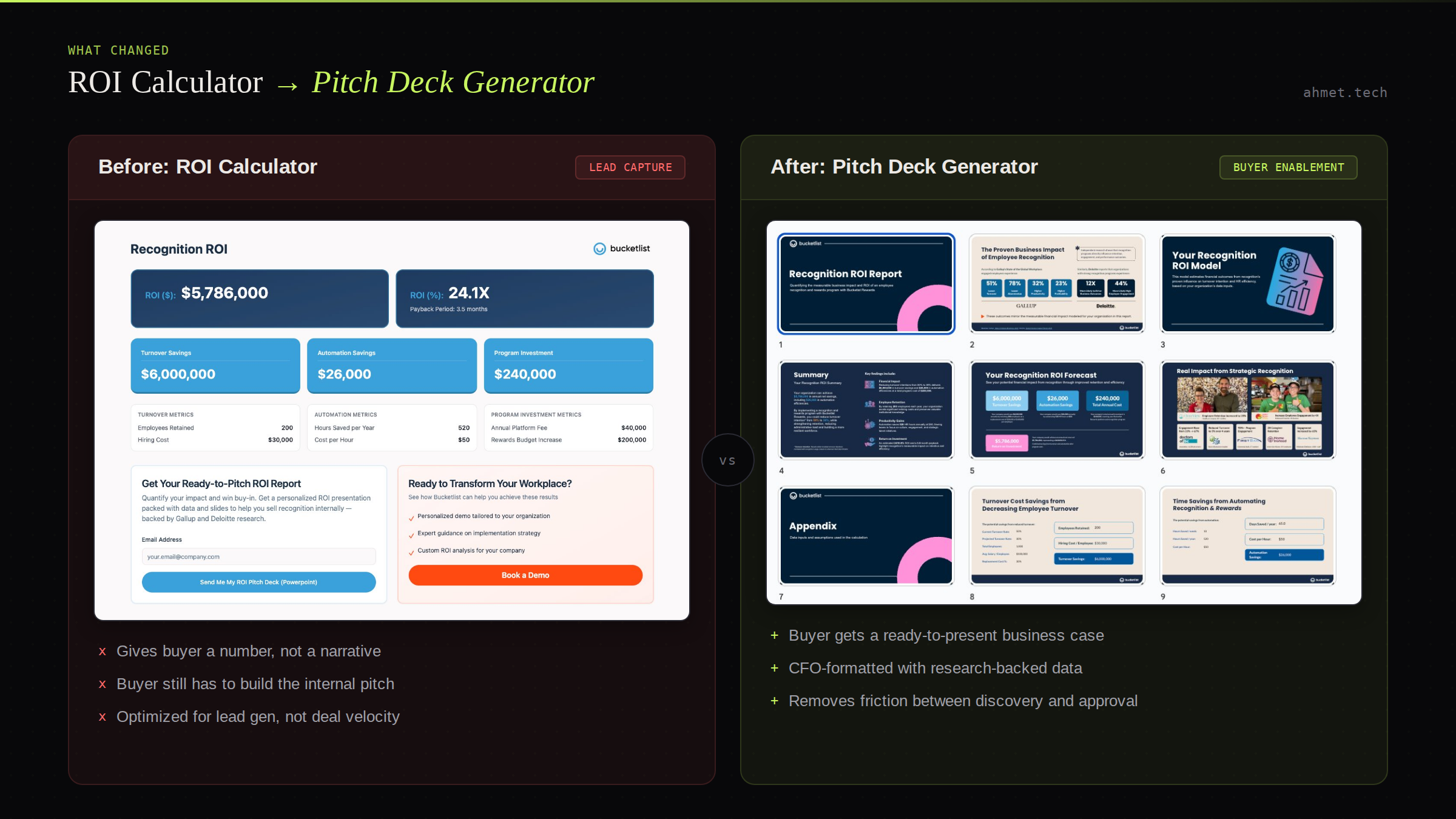
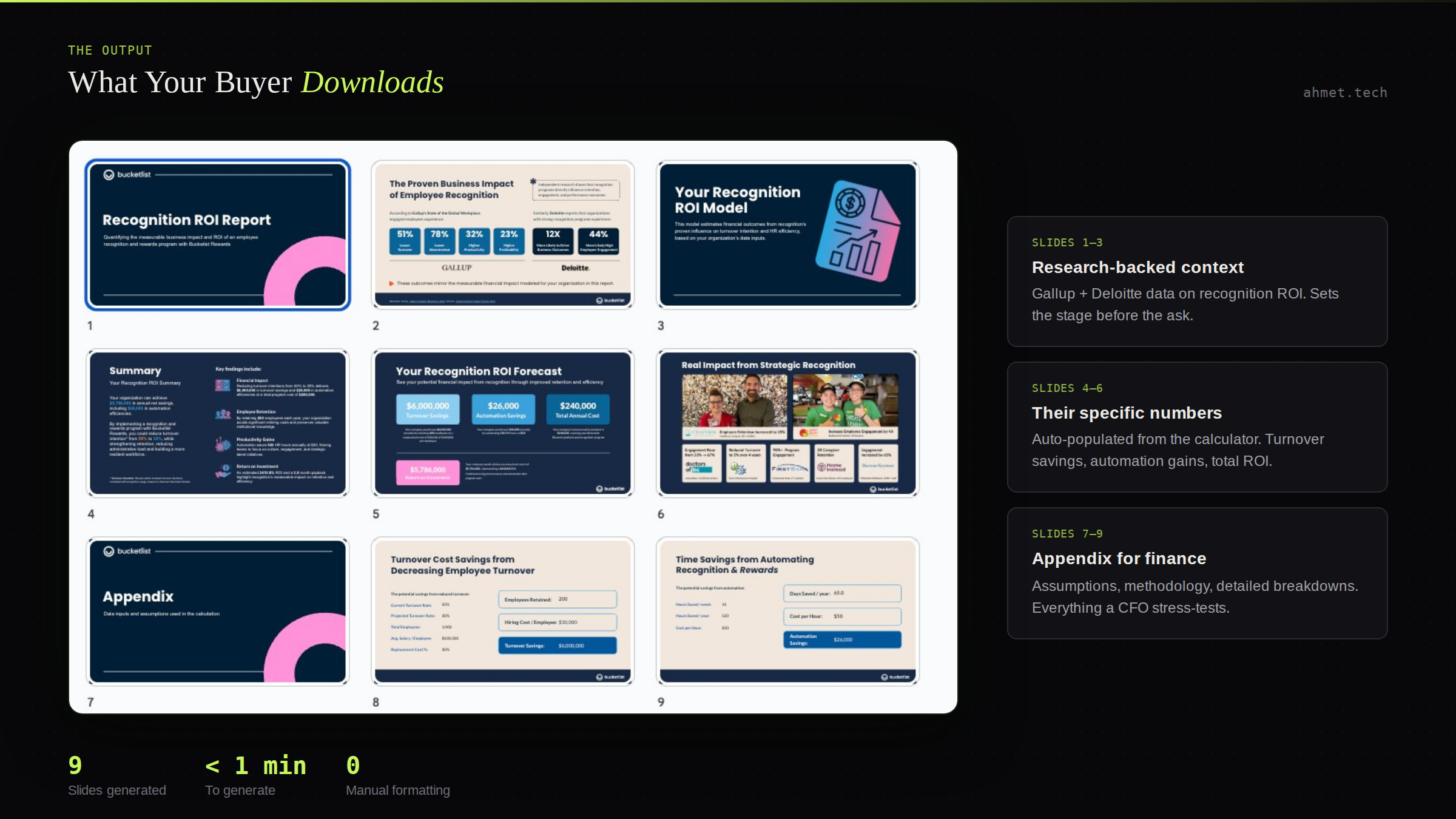
But we added one critical output: a downloadable, fully branded 5-slide executive pitch deck — ready to present to finance.
The deck includes everything a buyer needs to make the internal case:
- Their specific ROI numbers and financial impact
- Turnover savings and automation efficiency gains
- Key assumptions and methodology (so finance can stress-test it)
- Customer proof points from real Bucketlist clients
- A summary slide formatted for a budget meeting
No reformatting. No copy-pasting stats into PowerPoint. Just enter your details, calculate your ROI, and download a presentation you can walk into a meeting with the same day.
How to Build This Yourself
The good news: you don't need a developer. Here's exactly how we built it.
Step 1: Build your ROI calculator in Lovable
If you already have an ROI model in a spreadsheet, upload it directly to Lovable. It will use your existing logic, formulas, and assumptions as the foundation. If you're starting from scratch, describe the inputs and outputs you want and Lovable will generate the calculator structure for you. Either way, you're working from your actual data — not a generic template.
Step 2: Create a presentation template with placeholders
Before touching Lovable again, build your pitch deck in PowerPoint or Google Slides. Design it the way you'd want a buyer to present it internally — cover slide, business case summary, ROI breakdown, supporting data, proof points. Wherever a dynamic number or input should appear, drop in a clearly labeled placeholder like [turnover_savings] or [total_employees]. This becomes the blueprint Lovable will work from.
Step 3: Ask Lovable to wire the deck to the calculator
Upload your template and tell Lovable to replace each placeholder with the corresponding input or output from the ROI calculator. When a user hits "download," the deck auto-populates with their specific numbers — no manual work required. Test a few scenarios to make sure the values map correctly.
Step 4: Match your brand
Upload your brand guidelines directly to Lovable, or point it to your website and ask it to match your colors, fonts, and visual style. This is what makes the output feel like a polished, professional deliverable rather than a generic AI-generated doc. A branded deck builds far more trust with finance than a plain one.
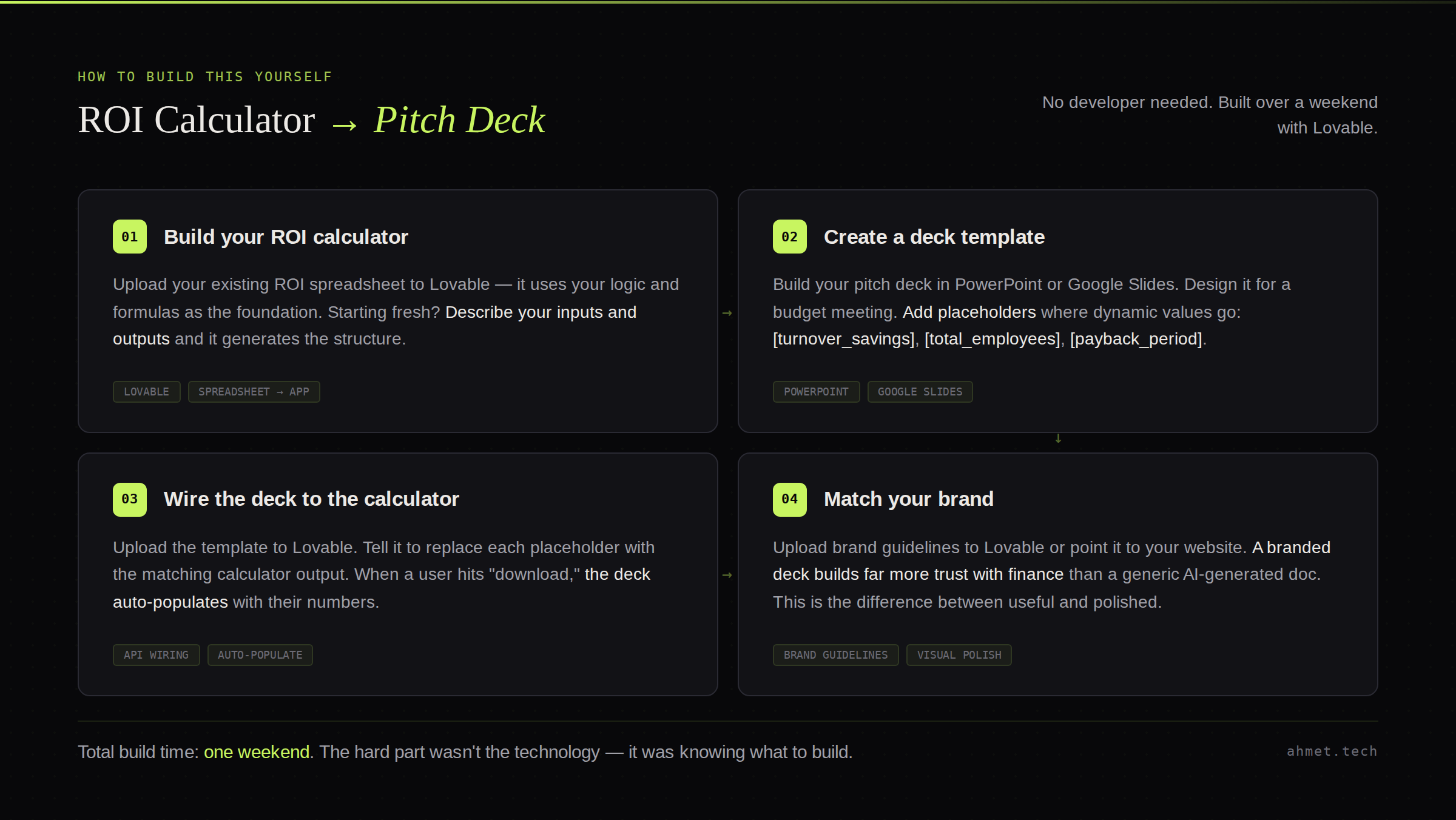
The entire build took one weekend. The hard part wasn't the technology — it was knowing what to build in the first place.
What Changed After We Launched
Three things shifted almost immediately.
First, we became the only vendor in our category whose ROI calculator actually equipped buyers to sell internally. That's a meaningful differentiator in a crowded market where every competitor's calculator spits out the same generic stats page.
Second, deal velocity improved. Our champions had more confidence going into budget conversations because they weren't walking in with a spreadsheet — they were walking in with a polished executive presentation backed by Gallup and Deloitte research.
Third, our sales team and CSMs could generate tailored ROI slides for any prospect or customer in minutes. What used to take hours of custom deck work became a two-minute self-serve flow.
The Lesson for GTM and Product Teams
You can build almost anything with AI now. The bottleneck is knowing what's worth building — and pushing AI tools far enough to truly meet your customers' needs. The first version of what AI builds will look like everyone else's. The differentiation comes from deeply understanding the job your customer is actually trying to do.
In our case, the job wasn't "calculate ROI." It was "help me win the internal budget meeting."
Once we saw that clearly, the build was obvious.
Want to see it in action? Try the Bucketlist ROI Calculator and download your own pitch deck in minutes.